Screenshot
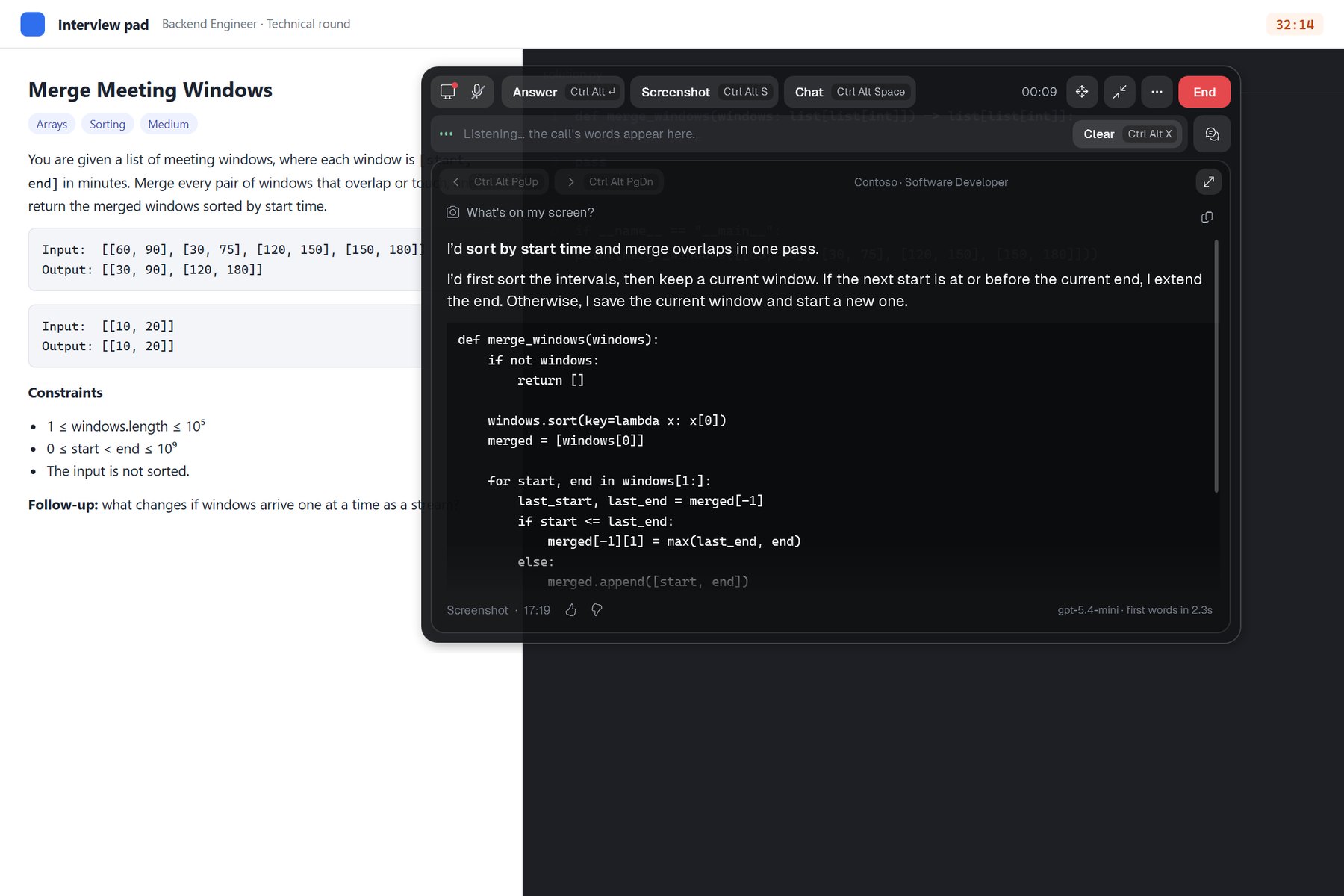
Press Screenshot (Ctrl Alt S) when a problem is on screen. Peekaboo captures the monitor the call is on, sends it with the recent conversation to a vision-capable model on your key, and streams back:
- The problem restated in one line, so you can confirm it.
- The approach, in words you can say while you start typing.
- The full solution in a code block, in the language shown on screen.
- Time and space complexity, and the edge cases worth mentioning.
For code to review or debug, it explains what the code does, finds the bug or risk, and shows the fix. Type a hint in Chat before pressing Screenshot ("use Python", "optimise for memory") and it's included.
Peekaboo's own windows are excluded from capture, so the screenshot never contains the overlay, and the interviewer's view of your share doesn't either.
Spoken questions
"What's the difference between a process and a thread?" "How does a hash map handle collisions?" Conceptual questions asked out loud are answered like any other: a one-line answer first, then the points, with a short code example where it helps.
System design
Open-ended design questions get a structure that keeps you from rambling: requirements and scale, the high-level components, the data model, how it scales, and the trade-offs you'd make. Expand the overlay for a long answer, and step back through earlier answers with Ctrl Alt PgUp as the discussion goes deeper. There's more on that structure in the system design guide.
Languages
Whatever the model can write: Python, Java, C#, JavaScript and TypeScript, Go, C++, Rust, SQL and more. Ask for a specific language in the session's instructions to make it the default.